Overview
What is Qrunner
Qrunner is a platform for engineers to help them to automate and build their internal tools for personal and wide organization uses.
Any repetitive operational tasks that require engineers' manual effort like running a self-made script, running SQL queries, data patching for manual ops, can be turned into a self-serve tool that can be handed over to the operational team, PMs, or anyone who doesn't have any experience with engineering.
A few use-cases of manual tasks that need the engineer's manual job:
- Data Patching for a status update in production. Eg. Transaction's status keeps staying in a PENDING state due to 3rd party's issues that do not give any callback. Engineers usually log in to DB and update the data manually. If there's a lot of transactions, Engineers will create a script and run it manually to update all the PENDING transactions.
- User configuration insertion. Eg. A bank partner of a Payment Gateway, require a manual sign from the Payment Gateway's user. After the legal process is finished, the Bank will give the Payment Gateway the User's API Key and User ID. And Payment Gateway needs to use that config when forwarding any payment request for the User. This config (API-Key, and User ID) can be inserted by the Account Manager, or PM to DB by using the script that runs on Qrunner, engineers only need to create the script once, and AM or PM will do it every time they need.
Qrunner's Concept
See on excalidraw diagram
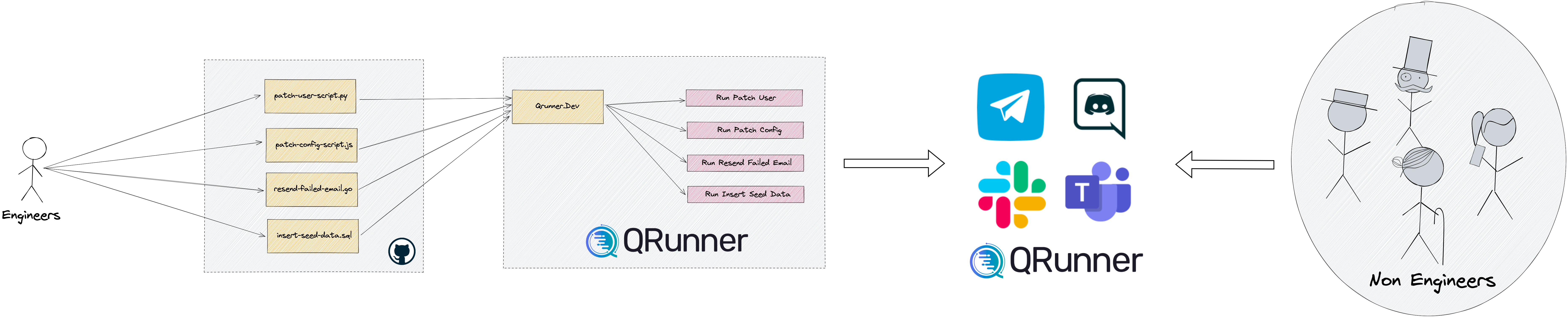
- The Engineers will create their own script and store it in their own Github repositories.
- Qrunner will pull the scripts from the specified repositories.
- Qrunner will render the script in Qrunner platform
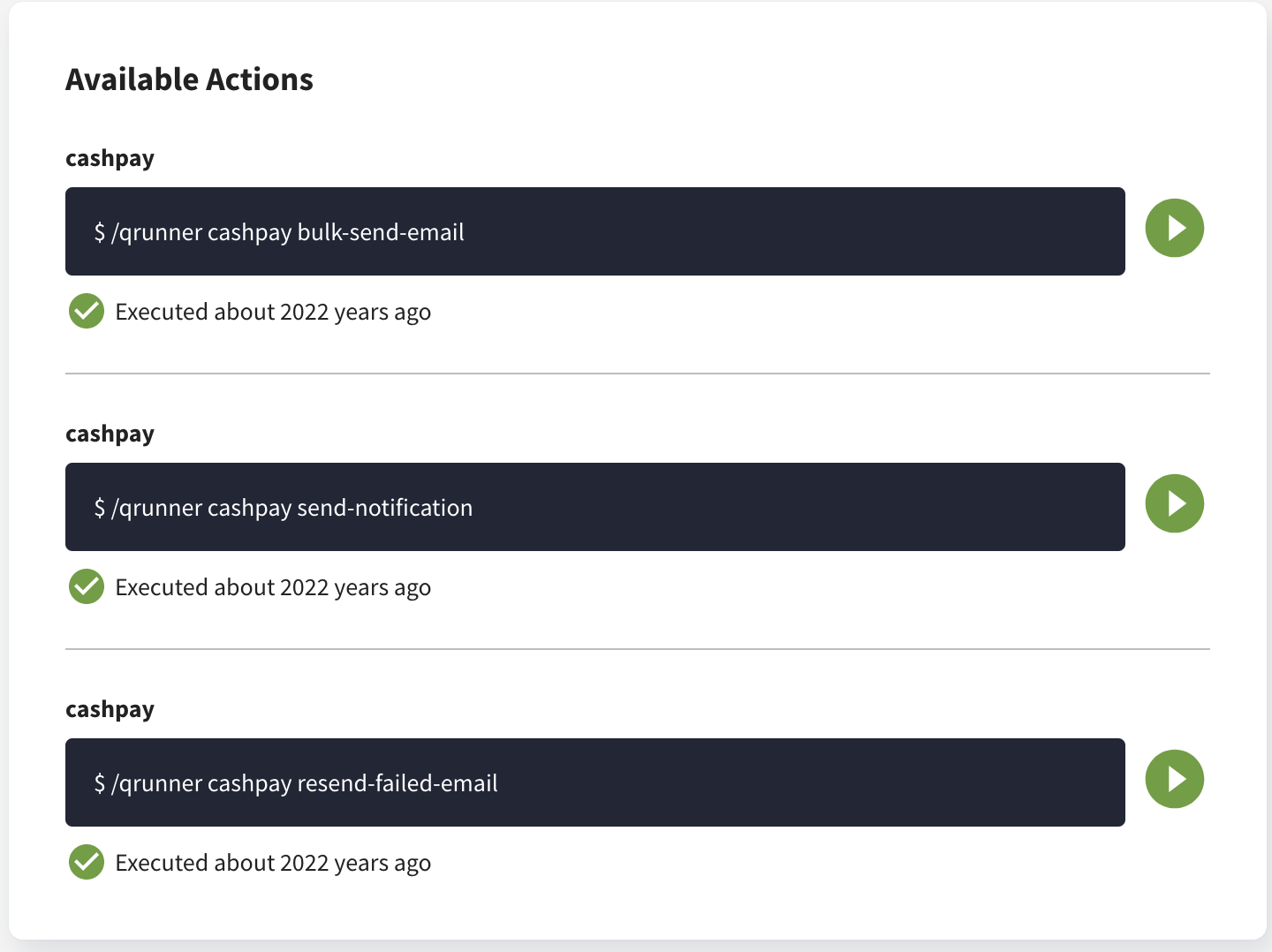
- Qrunner display all the scripts on Qrunner dashboard as a runnable command
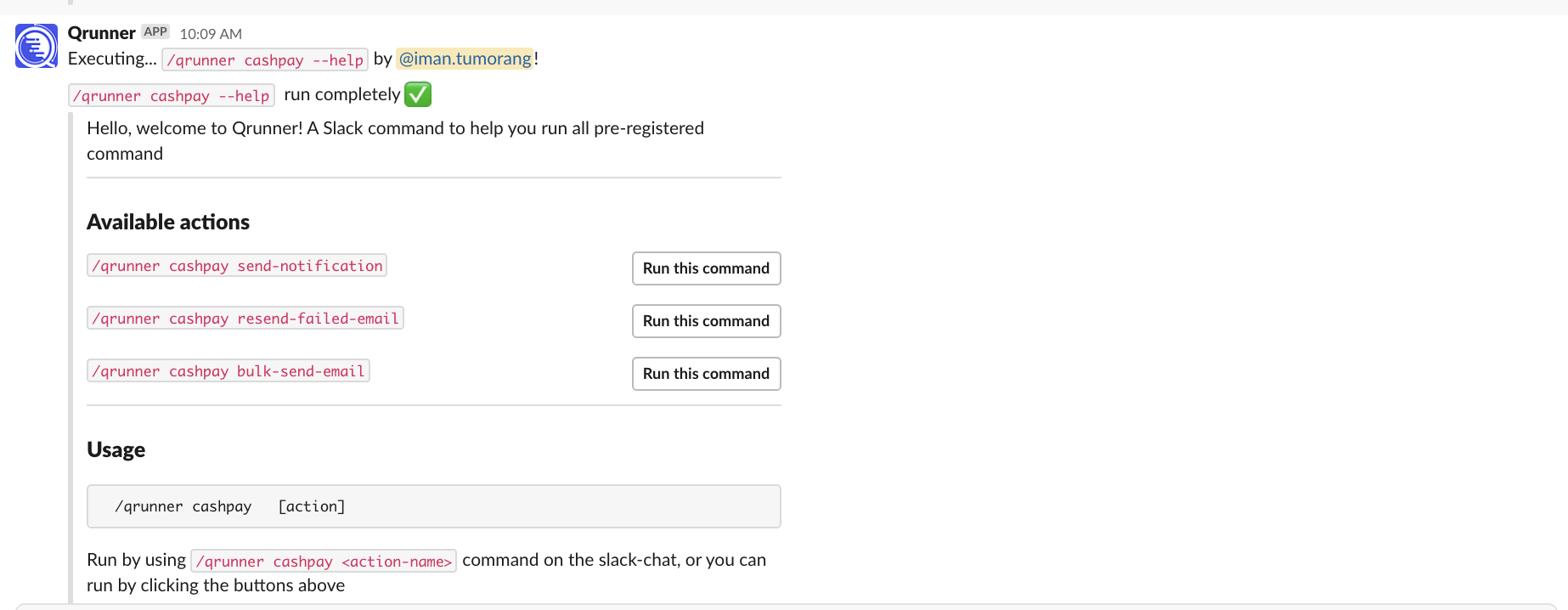
- Qrunner allows script execution through messaging platforms eg. Slack
- Now everyone can run the script from all integrated channel (Qrunner's Dashboard, Slack, etc) without bothering the engineers anymore
- How it will rendered on Qrunner's Dashboard:
- How it will rendered on Slack:
- How it will rendered on Qrunner's Dashboard:
Qrunner's Component and Resources
Qrunner has a few resources or main components:
- Command is the main key component for your tasks. Imagine this like a CLI application, so
Commandis your main command on the CLI - Action is the sub-command of your main key. This will run specific actions that are assigned to it. One action is only bound to one script.
- Execution is the execution record of your full command actions. Each script running will run by 1 execution.
Why We Make Qrunner?
Every company has internal operations that still depend on Engineer's support. We realize engineers should focus on developing the core business instead of doing manual and repetitive tasks that consume time. Delaying the development of the core business logic will impact the business's growth. By utilizing Qrunner, we aim to reduce all repetitive tasks operated by engineers, so they can more focus on building the business core logic.
Aside that, why Qrunner instead of running your own scripts manually, or developing your own dashboard because
- Security Factors. Running your own script locally will expose all of your secret keys to whoever runs the scripts.
- Prioritization. Building your own internal dashboard is a great choice when you have more budget and engineers to build it. Instead of building operational tasks, let the engineers focus on the core business logic. Qrunner will reduce your budget for operational tasks.
If you're interested in a demo and running some of your internal use cases, contact us at info.qrunner@gmail.com